Device Management
eIQ AI Hub provides two types of device access:
Public devices: Maintained and hosted by NXP, available to everyone for immediate use without registration
Private devices: Exclusive devices for private users. Private devices allow you to perform deep optimization and testing with dedicated access permissions.
Key Features
Private devices support ML Runtime Software OTA - update the ML runtime environment on private devices without manual intervention
Benchmark on private devices to get real-world performance data
Supported Devices
The eIQ AI Hub supports a wide range of NXP platforms:
Platform |
CPU |
Memory |
NPU |
eTOPS |
|---|---|---|---|---|
i.MX 95 |
6x Cortex-A55 + Cortex-M7 + Cortex-M33 |
16GB LPDDR5 |
Neutron |
8 |
i.MX 943 |
4x Cortex-A55 + 2x Cortex-M7 + 2x Cortex-M33 |
8GB LPDDR5 |
Neutron |
2 |
i.MX 93 |
2x Cortex-A55 + Cortex-M33 |
2GB LPDDR4 |
Ethos-U65 |
1.8 |
i.MX 8M Plus |
4x Cortex-A53 + Cortex-M7 |
4GB LPDDR4 |
VSI NPU |
2.3 |
i.MX 8M Plus RDM |
4x Cortex-A53 + Cortex-M7 |
4GB LPDDR4 |
Ara240 + VSI NPU |
40 + 2.3 |
i.MX RT700 |
Cortex-M33 + HiFi 4 DSP |
7.5 MB SRAM |
Neutron |
0.17 |
Public Devices
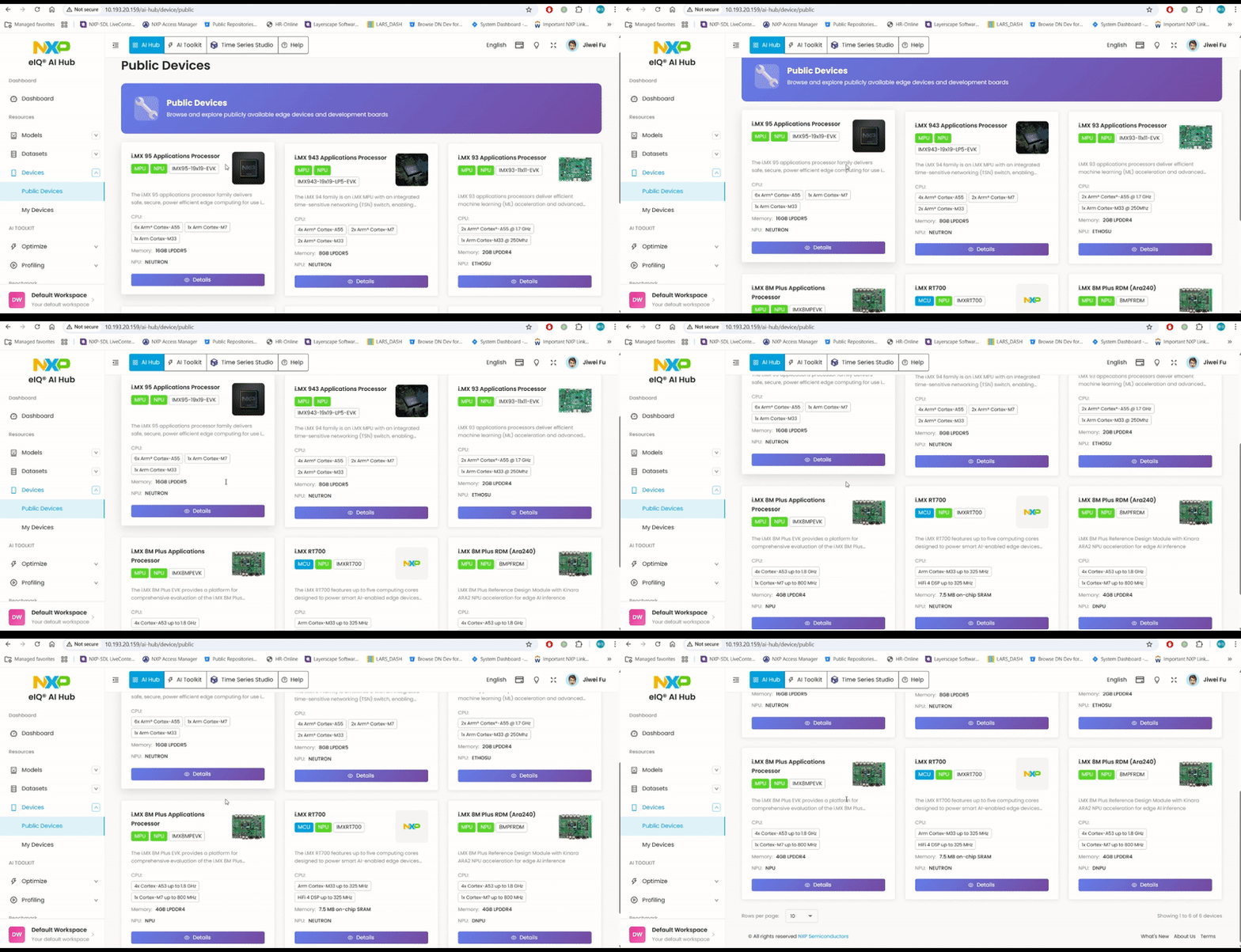
Public devices are shared resources maintained by NXP. They allow you to:
Quickly test and validate models on real NXP hardware
Profile model performance without owning physical devices
Access the latest NXP platforms and accelerators
Simply select a public device when creating a profiling or benchmark job to get started immediately.
Private Devices
Private devices provide dedicated access for in-depth development and testing. To use private devices, you need to register your device first.
Device Registration
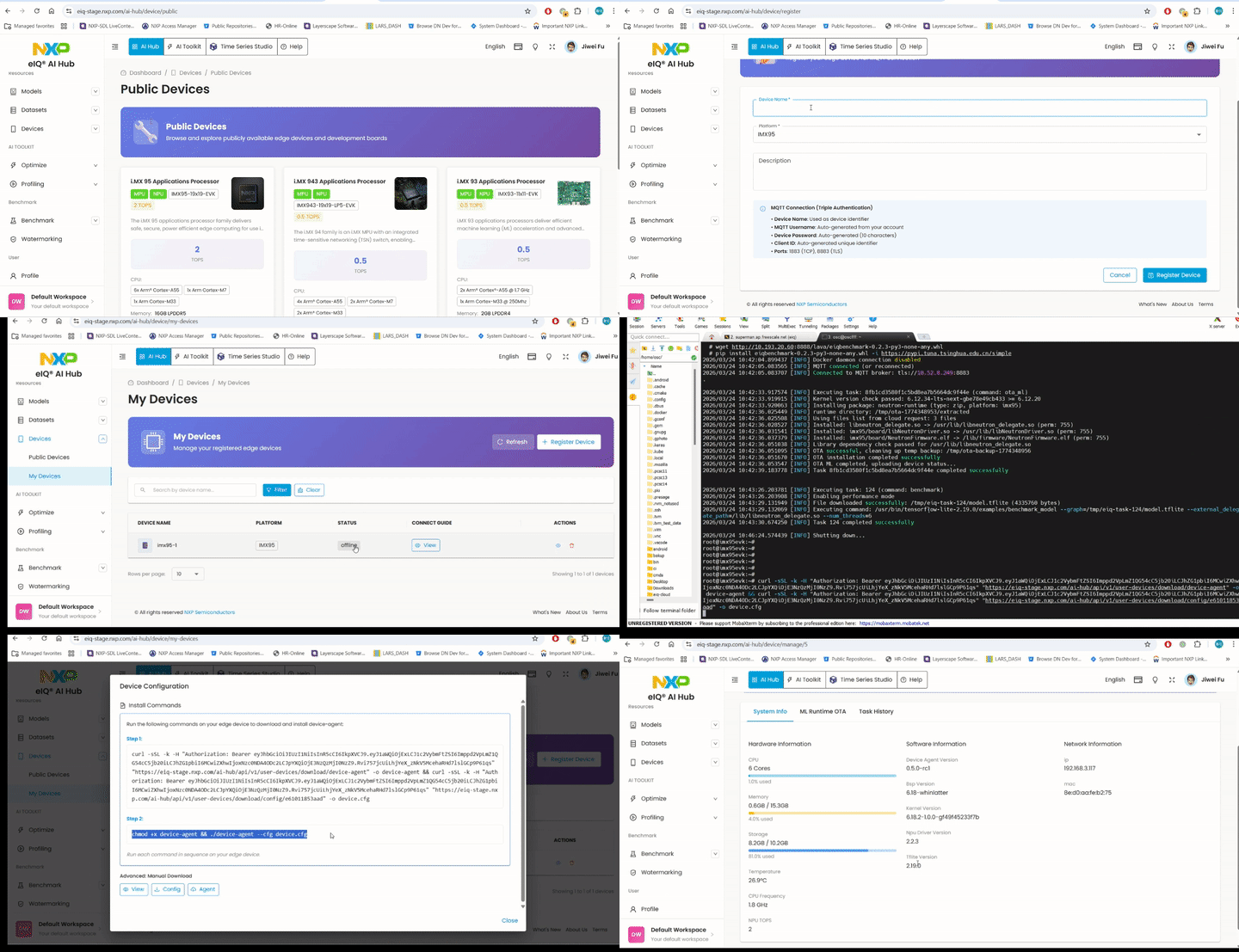
To register a private device:
Navigate to the Device Management section in eIQ AI Hub
Click “Add Device” and follow the registration wizard
Download the device registration script
Run the script on your device to complete registration
Your device will appear in the private devices list once registered
ML Runtime Software OTA
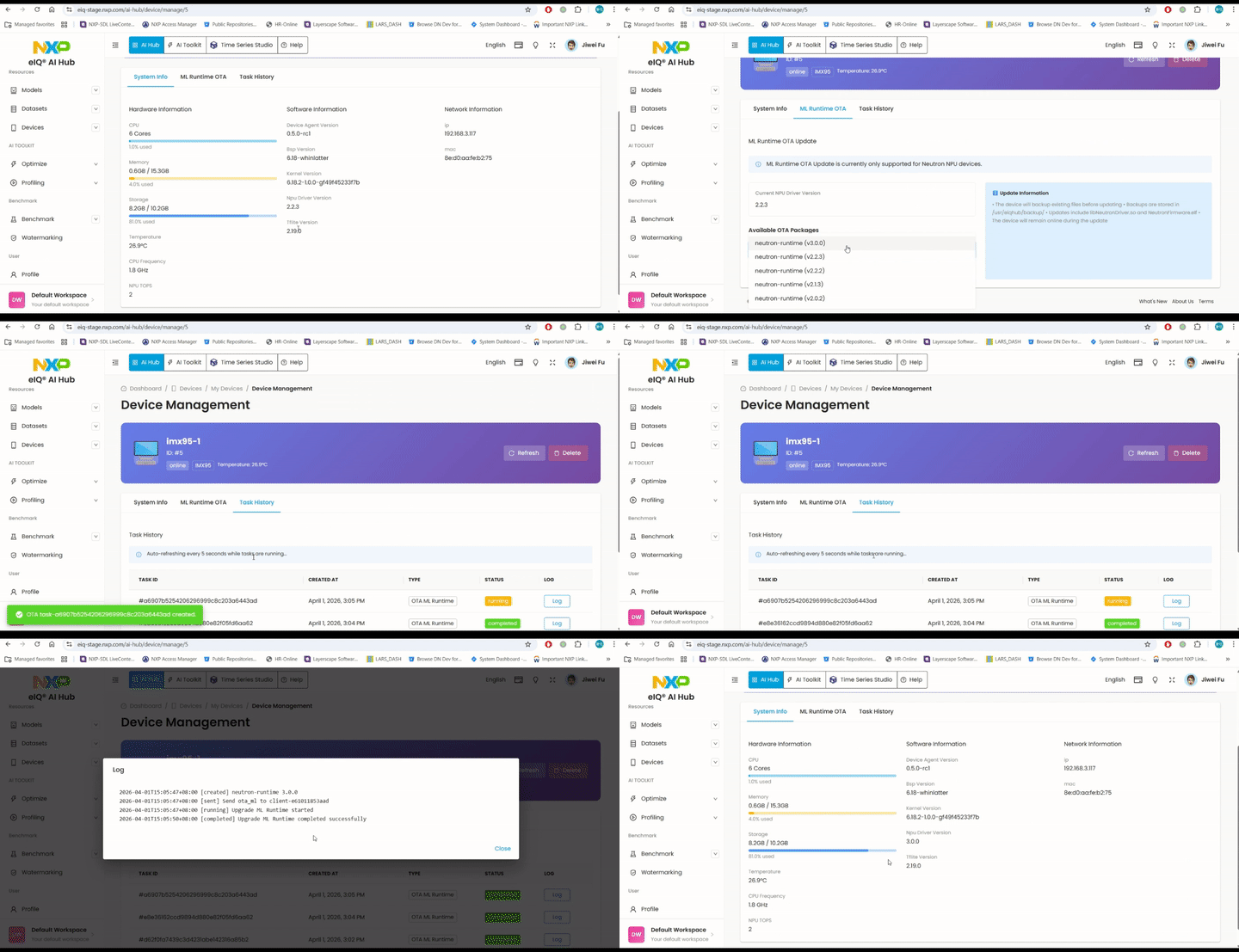
Private devices support Over-The-Air (OTA) updates for ML runtime software. This feature allows you to:
Update the ML runtime environment remotely
Install new versions of inference engines
Apply patches and optimizations without physical access
To trigger an OTA update:
Select your private device from the device list
Navigate to the “ML Runtime OTA” tab
Choose the target ML runtime version
Click “Install Update” to start the OTA process
Benchmark on Private Devices
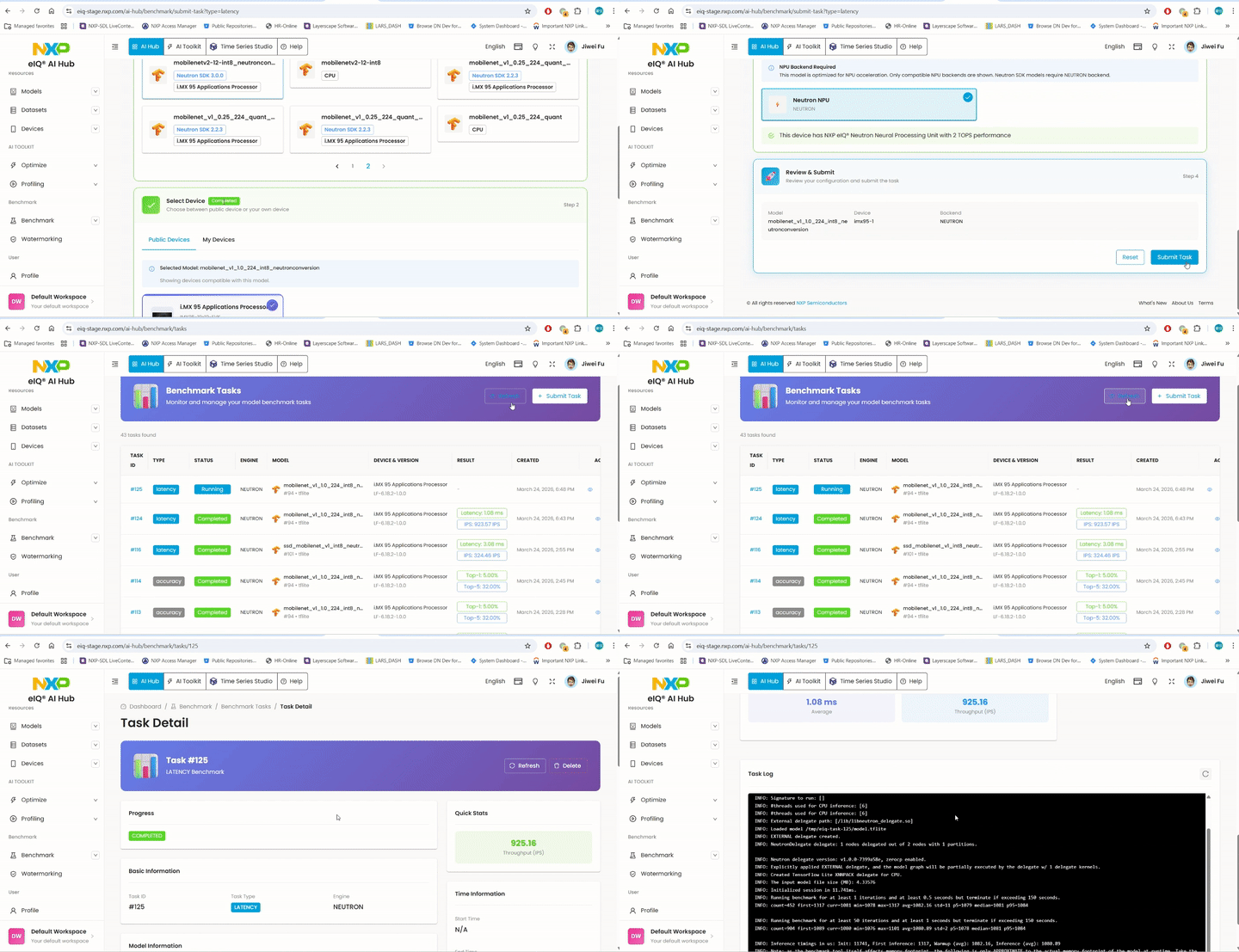
Benchmarking on private devices provides accurate, real-world performance metrics:
Run benchmarks in your actual deployment environment
Test with custom configurations and settings
Compare performance across different optimization strategies
Validate results with production-like workloads
To run a benchmark on your private device:
Upload and optimize your model
Select your registered device from “My Devices” as the target platform
Configure the benchmark parameters
Click “Submit Task” to start the benchmark
Navigate to the task details to view the results
Note
For a complete overview of benchmarking, see Benchmark the model