Run Simulated Profiling
Before deploying to hardware, you can use the Simulated Profiling feature to estimate model performance on target NXP devices without requiring physical hardware access.
What is Simulated Profiling?
Simulated Profiling uses NPU compiler tools to estimate execution performance directly in the cloud. It provides:
Estimated NPU execution cycles without device access
Operator-level execution cycle estimates
Per-node profiling statistics (clock cycles, operator mapping)
Estimated total inference time
Quick iteration without waiting for board availability
This phase is ideal for verifying that optimizations performed earlier behave as expected before moving to on-device profiling.
Run a Simulated Profiling Session
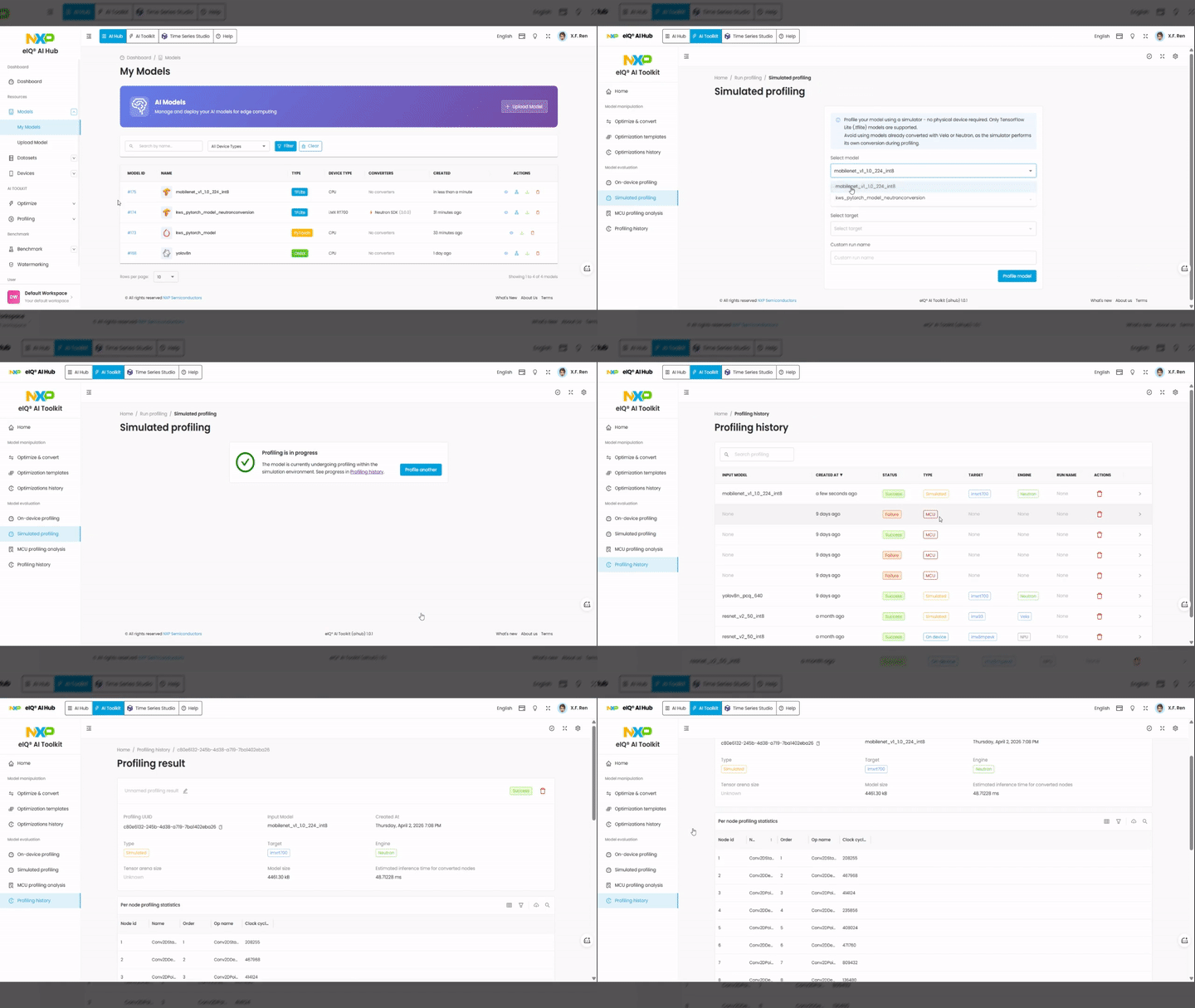
The Simulated Profiling page provides a workflow canvas similar to the Optimize & Convert page. You select your model and configure the profiling parameters.
Steps:
Switch to the AI Toolkit tab in the top navigation bar.
In the left sidebar, under Model evaluation, click Simulated profiling.
On the workflow canvas, your model appears as a node. If not, select your model from the available resources.
Configure the simulated profiling step:
Target — select the target device (e.g.,
imxrt700).Engine — select the NPU engine (e.g.,
Neutron).
Click the Run button to start the profiling session.
A confirmation message appears when the pipeline is submitted. Navigate to Profiling history to monitor progress.
Review Profiling Results
When the profiling session completes, click on the entry in Profiling history to view the detailed results.
Session metadata includes:
Model name — the profiled model
Type —
SimulatedTarget — target device (e.g.,
imxrt700)Engine — NPU engine used (e.g.,
Neutron)Model size — size of the model file
Estimated inference time — total estimated inference time in milliseconds
Tensor arena size — memory arena allocated for tensor operations
Per-node profiling statistics table:
Node ID — unique identifier for each operator node
Node name — name of the operator (e.g.,
Conv2D,DepthwiseConv2D)Order — execution order of the node
Operator name — type of operation
Clock cycles — estimated clock cycles for that node
Use these results to identify performance bottlenecks and validate that the model meets your latency requirements before proceeding to on-device profiling.
Note
Please refer to AI Toolkit document for detailed information.